Caller ID for business apps

Connect every incoming call to your app

WhoCalls brings the caller ID from fixed lines, mobile phones and IP PBXs into your CRM, POS, appointment, booking or order app, so your users see who is calling before they pick up.

  • CRM
  • POS
  • Appointments
  • Bookings
  • Orders
saved on average per call
30 s
API endpoints to integrate
2
not weeks, to go live
Hours
line types: analog, mobile and IP PBX
3

Benefits

Better calls for your users. A stronger product for you.

WhoCalls helps your users to…

  • Save real time

    About 30 seconds per call on average: the caller's profile and details appear automatically.

  • Give a personal welcome

    Greet every customer by name and deliver a superior experience from the first second.

  • Anticipate the reason for the call

    With history and upcoming bookings on screen, they know what the caller needs and customers leave happier.

…while you

  • Become more competitive

    Make your CRM, customer support or reservation app more appealing and more relevant.

  • Increase your revenue

    Upsell the integration of your business app with your customers' telephony.

  • Gain customer loyalty

    Your app becomes part of every call your customers take, every day.

Features

One integration for every line your customers use

Landlines, mobile phones and IP PBXs all report to your app the same way, so your users see the caller before they answer, wherever the call comes in.

Calls on fixed lines

A screen pop on every landline call

Show who is calling, with their details and history, before anyone picks up the phone.

  • Works with your customers' lines. Analog lines, internet boxes and virtual PBXs.

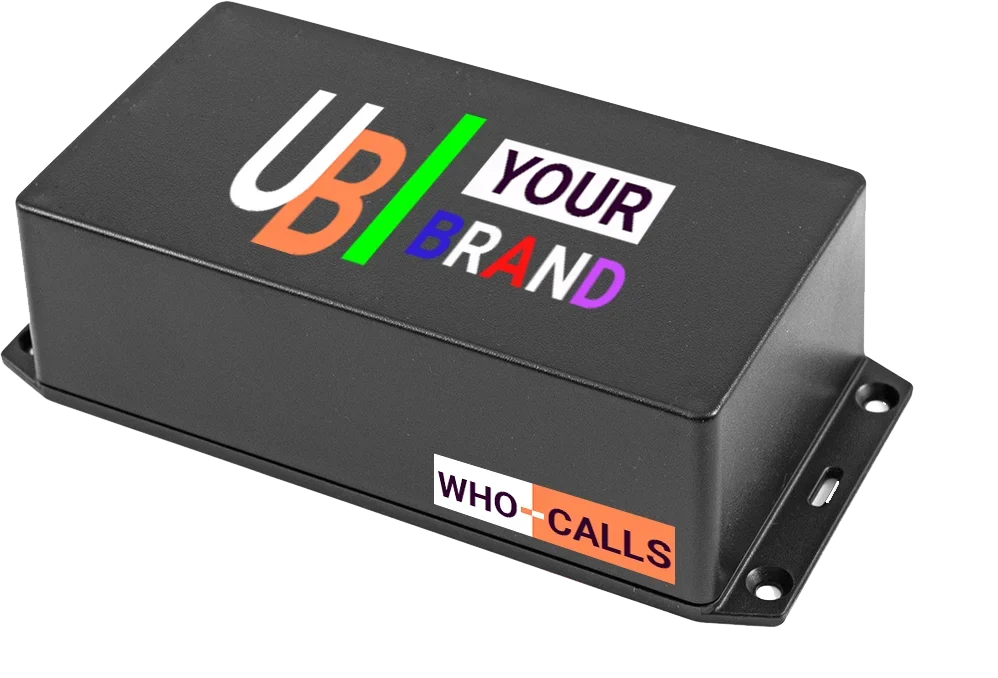
  • Analog phones: we provide the Wbox, a small box that connects to the phone and the line (PSTN or internet box).

  • IP phones: no extra equipment. The WhoCalls middleware integrates directly with the PBX.
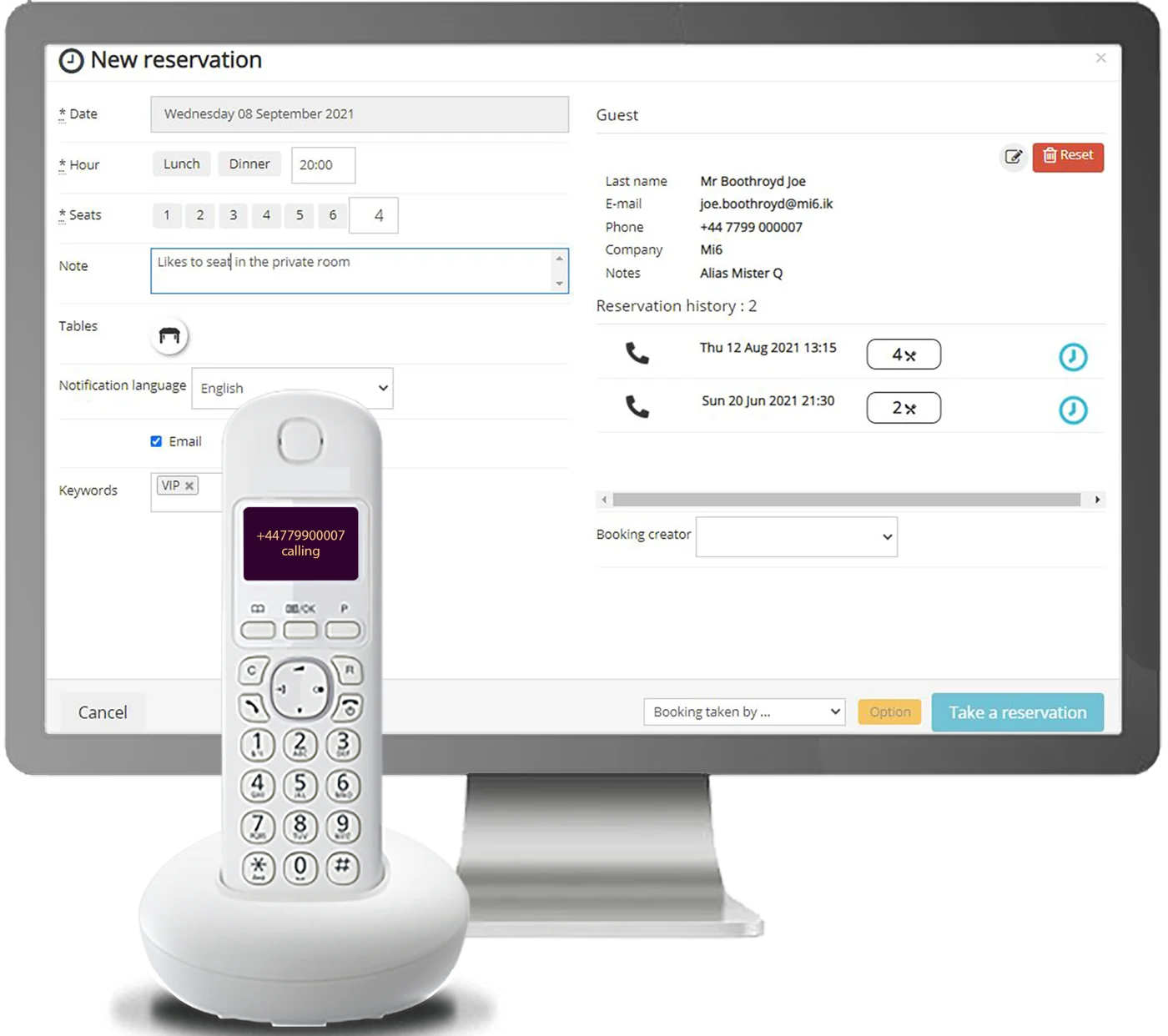
Booking app showing the caller's guest profile and history while the landline rings
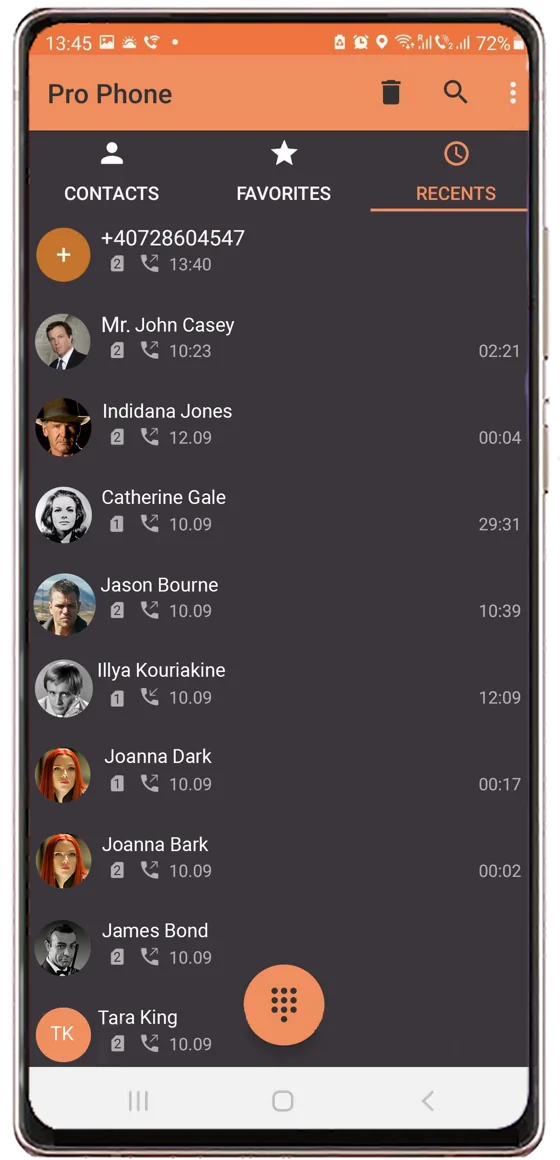
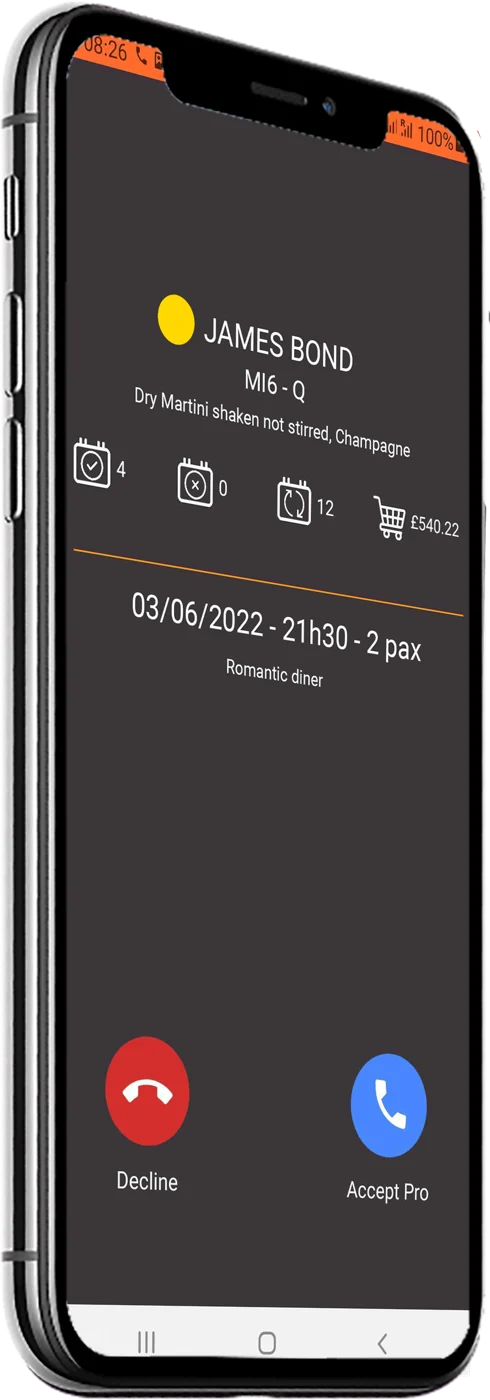
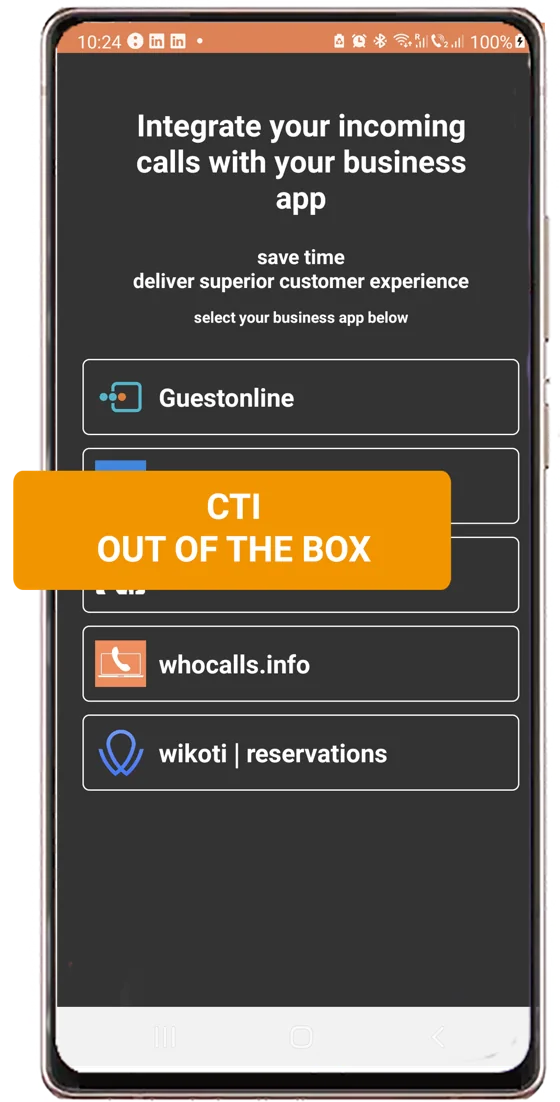
Pro Phone recent calls listPro Phone incoming call showing the caller's customer card and next reservationPro Phone screen for choosing the business app to connect

Calls on mobile lines

The customer card, on the phone and in your app

Show who is calling, with their details and history, before the call is answered, both on the mobile and in your business app. Works on Android phones.

  • Pro Phone app. A complete phone app with everything users expect from a top-tier dialler: smart dialpad, recents, favourites, dual SIM and call blocking. Free and without ads.

  • Pre-integrated. The standard app comes connected to a set of business apps. For a tailored experience, choose a personalised, rebranded app.

New

Pro Phone is fully customisable: align every detail, from colours to branding and app name, with your own identity.

Unanswered calls

Stop losing business to missed calls

Unanswered calls hurt your customers' reputation and cost them sales. WhoCalls reports every missed and unanswered call on fixed and mobile lines to your app, in real time.

  • Real-time notifications. Your app knows about every missed call the moment it happens.

  • Your call to action. Send a notification, a message or an SMS to the caller, depending on your customer's use case.

  • WhoCalls SMS auto-reply. Or let WhoCalls send an SMS automatically, with a link to book, order or visit the website.

Admin app

Every receiver, managed in one place

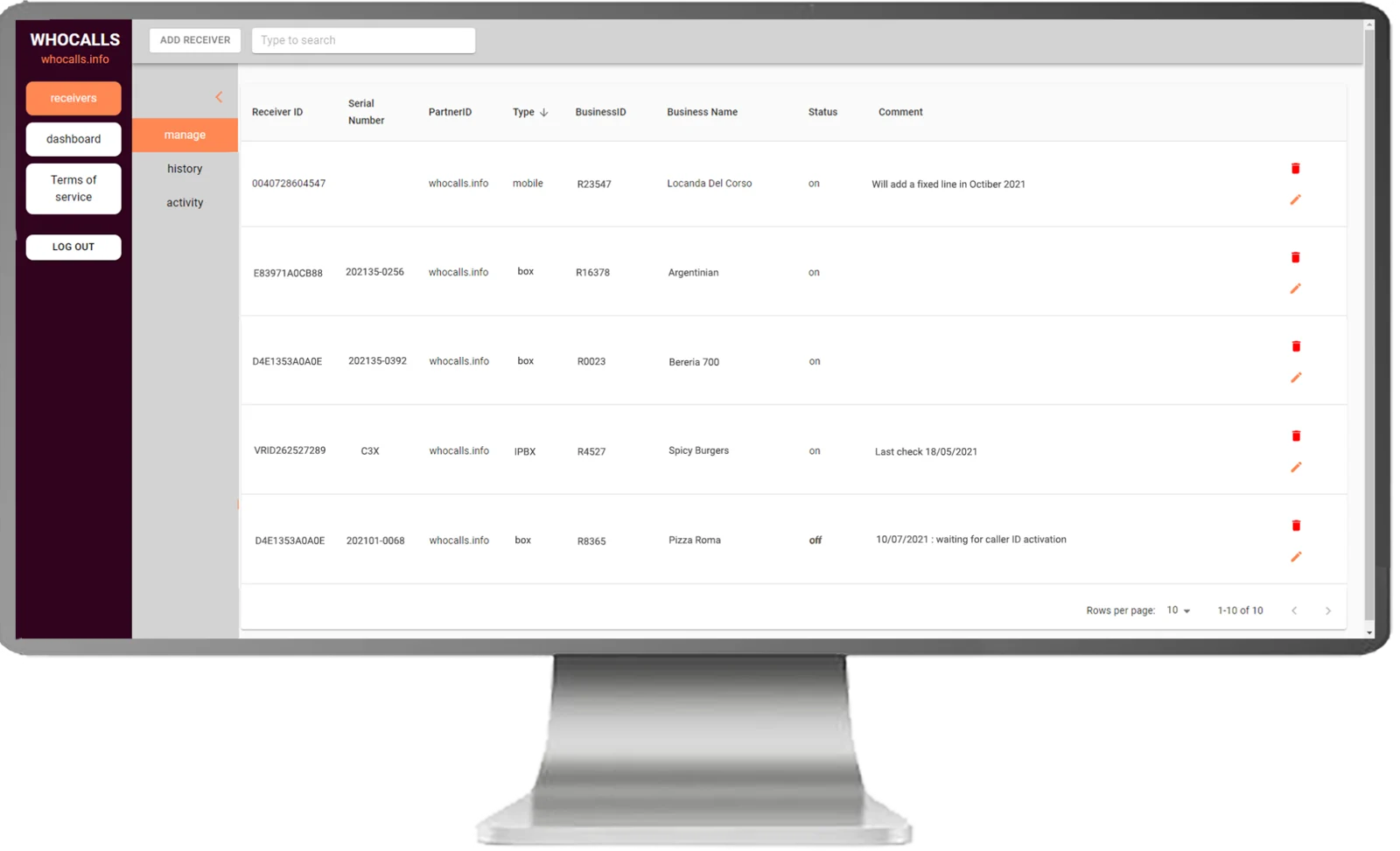
Manage all your fixed, mobile and virtual receivers from one screen: assign them to customers, check their status and switch them on or off.

  • Add and assign receivers. Create mobile, fixed or virtual receivers, assign each one to a customer, and activate or deactivate the service at any time.

  • Activity and history. Check each receiver's activity and the history of every change.

  • Or manage it from your own app. The WhoCalls API lets you create, assign, activate and monitor receivers without leaving your product.

WhoCalls Admin app listing receivers with their type, business name and on or off status

How it works

A straightforward integration. The hard work stays with us.

Connect your business app to WhoCalls once. We handle the landlines, mobiles and PBXs of every customer you sign up.

  1. 01

    API based, two endpoints only

    Receive the caller ID of incoming calls and of unanswered calls. That is the whole integration.

  2. 02

    A few hours to integrate

    Most partners are live the same day, not after a long telephony project.

  3. 03

    We guide you all along

    The WhoCalls team supports you from the first test call to your first customers.

Use cases

Add CTI to your business app, out of the box

Easy, simple, fast. If your users talk to their customers on the phone, WhoCalls makes your app more valuable to them.

  • CRM

    Open the right contact record the moment the phone rings.

  • POS

    Recognise regulars and their usual order at the counter.

  • Appointment management

    See the next appointment and reschedule without searching.

  • Reservations and bookings

    Greet guests by name and take the booking with their history in view.

  • Order management

    Pull up open orders and delivery details for the caller.

  • Customer support

    Know the customer and their open tickets before saying hello.

    Get started →
The Wbox, a black WhoCalls box with room for the partner's own brand on the lid

Your brand

Resell it under your own name

Sell the service and the Wbox to your customers at the price and business model that suit you. On request, the Wbox, the service and the Pro Phone app can carry your brand.

Wbox for analog lines
Plugs into the phone line and the internet. Two-year warranty, and your logo on the lid.
Your own Pro Phone
Your colours, branding and app name, published on your own Google Play account.

For CRM, support and reservation apps

Offer computer telephony integration to your customers

You have built the app your customers rely on every day. Add caller ID and missed-call alerts to it, out of the box.